Tampilkan postingan dengan label Customization. Tampilkan semua postingan

Sabtu, 22 Juli 2017

Cara Menambah Followers/Likes/Comments Instagram Terbaru 2017

  9 komentar
23.19

Assalamualaikum wr wb.

Blogku - Hallo Guys kali ini saya memberikan tutorial menambahkan followers secara gratis, makin kesini followers instagram sangat diperlukan entah untuk pamer, jualan, dll. bukan hanya followers aja yang bisa kita dapatkan likes dan comments juga bisa dapatkan secara cuma cuma disini, kita disini bisa gunakan aplikasi atau website untuk menambahkan, disini saya punya 2 website ampuh penambah followers/likes/comments dan kita bisa gunakan secara gratis sekali lagi saya ucapkan wkaka, beda dengan website website lain yang hanya membataskan followers, likes atau comments.

*Fitur Website. 1. Followers Up to 400/Jam 2. Likes Up To 250/Jam 3. Comments Up To 500/Jam Oke langsung aja. 1. Siapkan satu buah akun instagram yang sudah di pasangkan email(HARUS)


2. Lalu buka website panelnya http://rifkiisaputra.net/
3. Lalu klik login
4. Masukan username dan password <b>(BUKAN PHISING!)
- kalo keluar seperti ini jangan panik ini hanya perlu verifikasi instagram, sekarang buka instagramnya lalu refresh.

- Klik ini adalah saya untuk mengizinkan akun kalian login ke website tersebut, dan coba login lagi ke website followersnya

5. Nanti kalo udh login hasilnya seperti ini.

6. Sekarang saya mau coba nambah followers, klik START SENDING dan tunggu beberapa saat

- Nanti Hasilnya akan seperti ini.(Sengaja di kecilin soalnya banyak ampe kebawah :v)
 

7. Sekarang kita coba likenya, tinggal klik send liker aja
- kalo sudah langsung logout saja.


Oke!! Mudah bukan, jangan lupa kalian logoutin dari webiste itu. Terima Kasih.

Wassalamualaikum wr wb.


Read More

Minggu, 14 September 2014

Customize Windows 7 Boot Screen Animation

  1 komentar
00.18

Hello GreenHackerz readers....

Tired of watching the same animation again and again every time you boot windows?? Then you are in luck. There is a very easy way to change Windows 7 boot screen. Windows 7 boot updater makes it possible to change boot animation, text as well as background. This application works for all versions of Windows 7.

The application works by modifying the BOOTMGR system file. Since the application is in beta version and modifies certain critical system files it is always recommended to backup before using it. Though in our testing we found that the application worked well on a Windows 7 system without any problem.

Windows 7 Boot Updater is a free portable tool that allows you to change your Windows 7 boot screen animation. To download this software click here.

How to use:

1.Run the tool as admin.


2. Click Select Animation and browse for the folder that contains your boot animation images. If you do not have any get some from here.


3.Uncheck Text as it doesn't work at the time of writing this article.


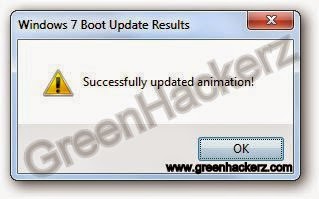
4.Click Go!. It will take some time and display a message.

5.Click OK.


Now restart your PC and check if the animation has been changed successfully. If not, then follow  to recover your computer.

Thanks for reading...friends
Stay Connected...

Read More